Inclusive Learning Hub
Designing an accessibility learning platform to help faculty and staff find, understand, and complete training more easily.
At a Glance
Problem
Resources were scattered across the existing site. Faculty couldn't find what they needed or know where to start.
My Role
Usability testing, synthesis, UX redesign, and prototype refinement.
Outcome
A new learning platform that reached
100%
task success and
4.7/5
usability across 5 sessions.
Where users got stuck
The original site held a wide range of accessibility content: articles, workshops, videos, and more. But users often couldn't find what they needed, and the site didn't help them turn the content into a learning path.
Couldn't tell sections apart
Users clicked into the wrong section looking for content they expected to find there.
Filters that didn't help
Faculty scanned the filter list, felt overwhelmed by unfamiliar terms, and gave up.
No sense of progress
Even after finding content, users couldn't tell where they were in their learning or whether they'd finished.
Auditing the existing site
Before designing anything new, we wanted to understand where the existing site was failing. We ran a usability study with 5 faculty and staff participants, asking them to complete 7 representative tasks across the site (finding a workshop, identifying relevant articles, etc.).
What we found
The site scored 57% on usability. Three patterns stood out:
Section labels didn't match content. "Research" suggested users would find research there, but research articles actually lived in the Learning Hub.
Filters relied on academic vocabulary. Categories used institutional terms that required users to interpret each label before they could use it..
Content density blocked comprehension. Articles assumed prior knowledge and used institutional language without scaffolding.
What we changed
Two fixes addressed the most blocking issues from the audit.
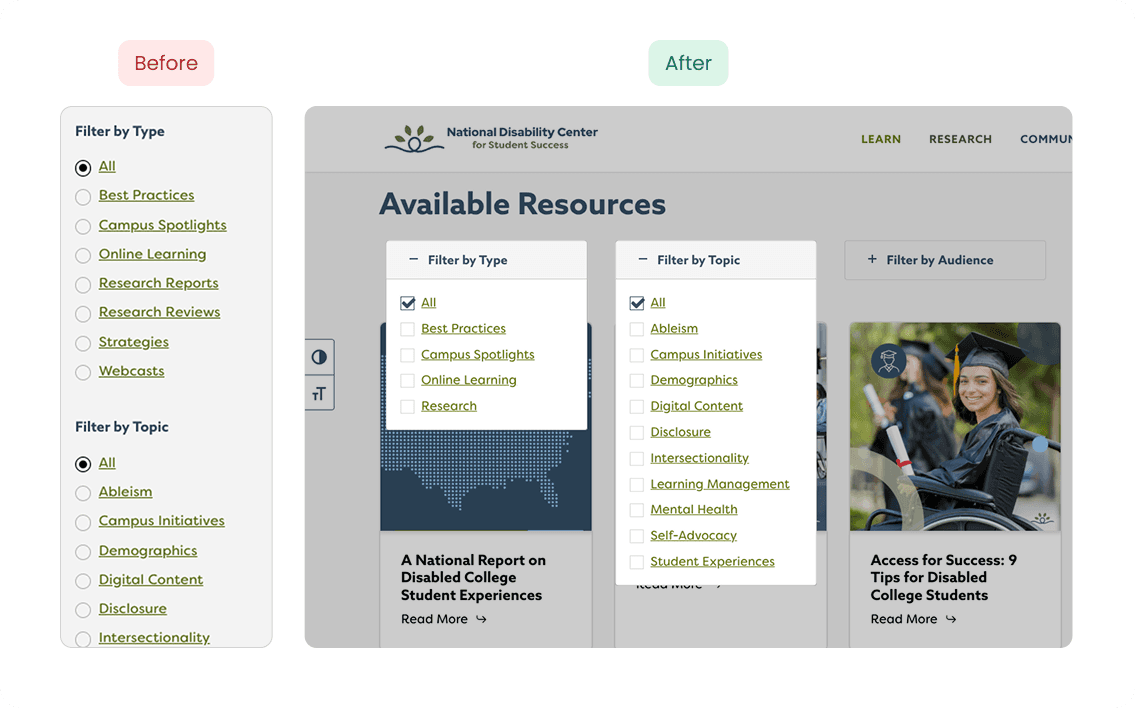
Filters people could actually use
Filters originally relied on academic terminology arranged in long lists.
We grouped them into three clear inline categories using plain language, so users could scan options at a glance instead of reading every label.
Letting users set their own pace
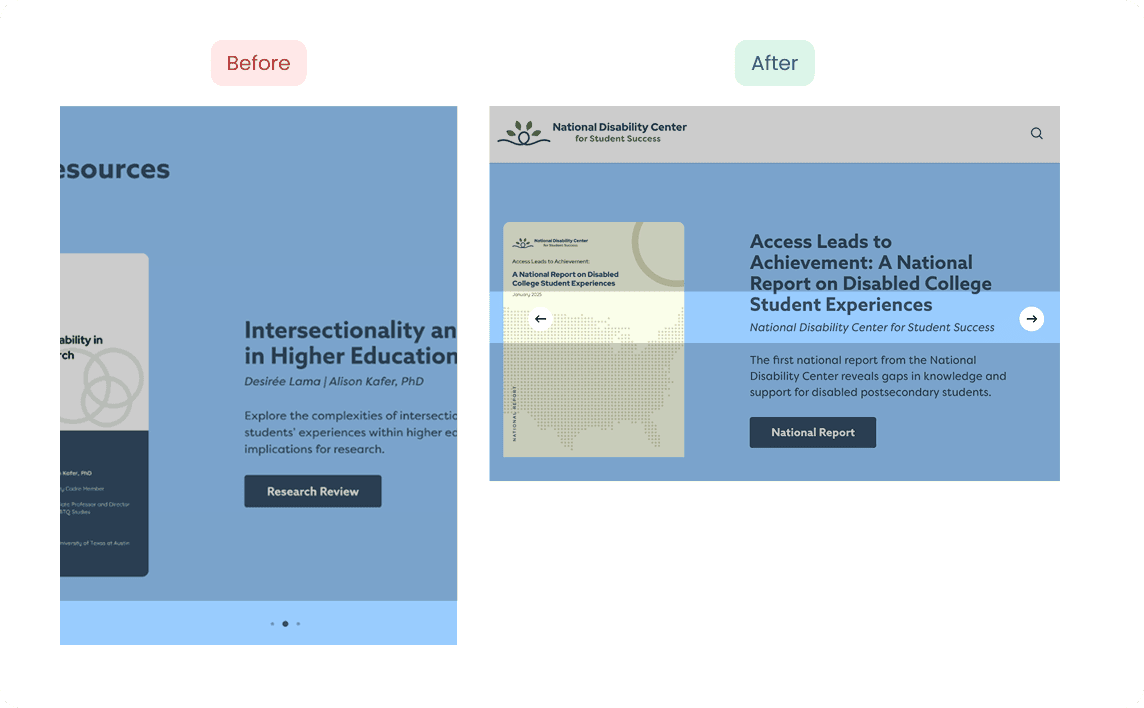
The homepage carousel auto-rotated, often before users finished reading the first slide. We removed auto-play and added manual navigation, putting reading pace back in the user's control.
Designing a learning journey, not just a website
The audit told us users didn't need better navigation. They needed a clear path from "I want to learn about accessibility" to "I've finished a course and I have proof." We mapped that path into five stages:
Discover
⬇
Start
⬇
Learn
⬇
Quiz
⬇
Complete
Each stage solved a distinct problem we'd seen in research.
The rest of this section walks through the key design decision at each stage.
STEP 1
Helping users find the right course
Long lists of content forced users to read every title before deciding what was relevant.
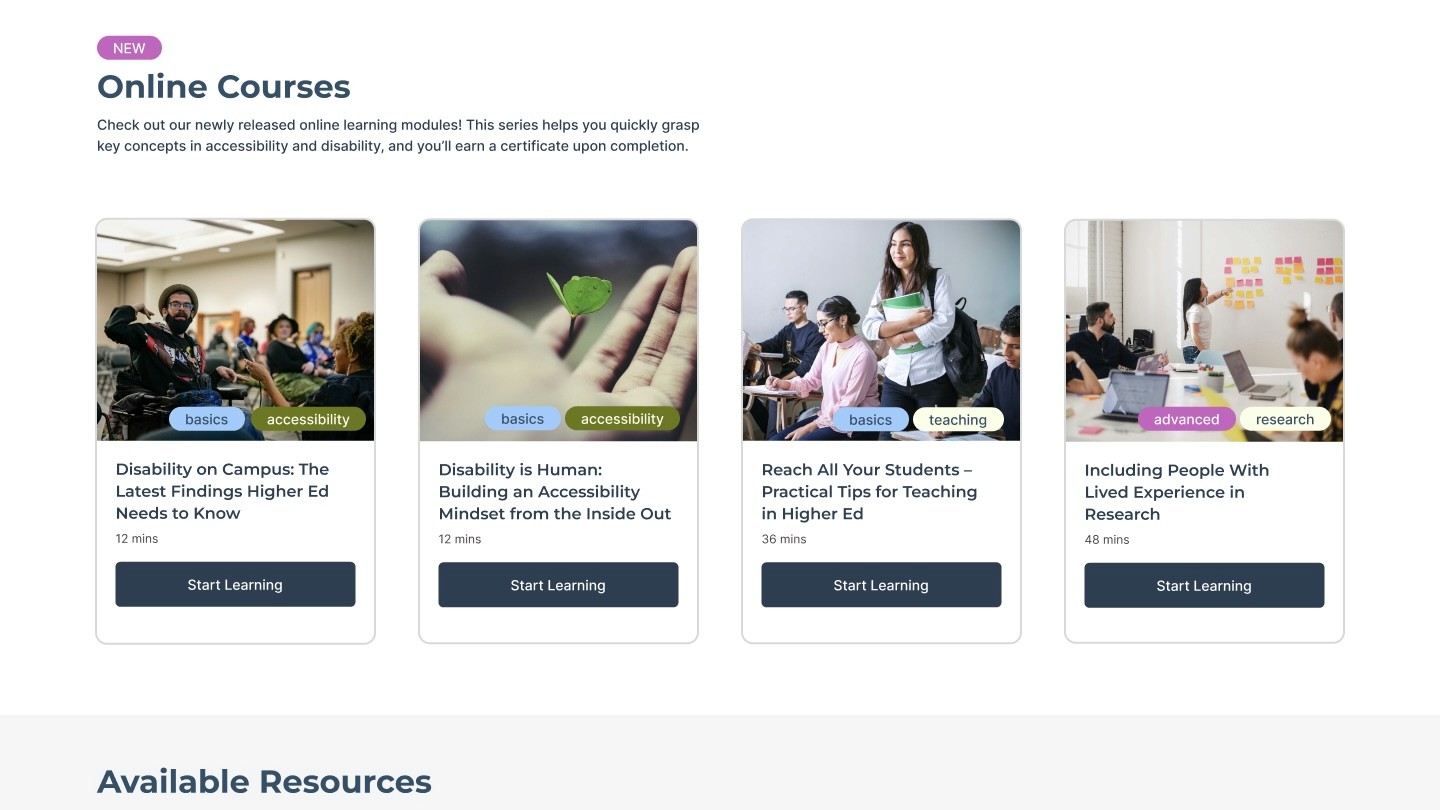
We replaced them with cards tagged by level, topic, and content type, so users could filter and compare at a glance.
STEP 2
Keeping sign-up out of the way
Progress tracking required user accounts, so we couldn't skip registration entirely.
Instead, we cut the form to the essentials: name, email, password. No phone number, no role selection, no optional fields. Users could be inside their first course in under a minute.
STEP 3
Keeping learners oriented inside a course
The center already had years of valuable material: webcast recordings, articles, research papers.
Rather than start over, we structured the existing content into a guided learning path.
Each course is segmented into chapters with a visible progress tracker, so users can pause and return without losing their place. Articles are downloadable, so faculty can keep references for later. And every video includes closed captions and sign language interpretation, so the content is genuinely accessible to the audience the platform serves.
STEP 4
Quizzes that teach, not test
Most quizzes work as gates: pass or fail. We designed ours so wrong answers immediately show the correct answer with a brief explanation. Learners need 75% to pass, with unlimited retries.
Testing surfaced something we hadn't designed for: participants wanted a place to reflect on what they'd learned. We added open-ended response prompts, with a discussion area on the roadmap.
STEP 5
Closing the loop with a real certificate
The center initially wanted users to share completion on LinkedIn. But research showed faculty cared more about a record they could keep and reference internally.
We added a downloadable certificate with course name, date, and an official seal, prioritizing practical value over public visibility.
Validating the design
Once the prototype was built, we ran usability testing with 5 participants from higher education — staff at NC State, UT Austin, and Massachusetts State, a doctoral student at Leiden University, and a disability professional at the University of Tennessee.
All 5 completed every task, with an average usability score of 4.7/5 across the full learning flow. Participants responded particularly well to the chapter structure, the certificate's official feel, and the clarity of time indicators.
Testing also surfaced clear improvements: transcripts went unnoticed by several users until they scrolled, and a few wanted playback speed controls and a more interactive top navigation. These shaped our next iteration.
100%
task success rate
4.7 / 5
usability score
What I took from this project
The strongest research findings often point past the original brief. We were asked to improve a website; what we delivered was a learning platform, because that's what the audit kept telling us users actually needed. Sitting with research long enough to find the real problem is the part of design I'm still learning to do well.
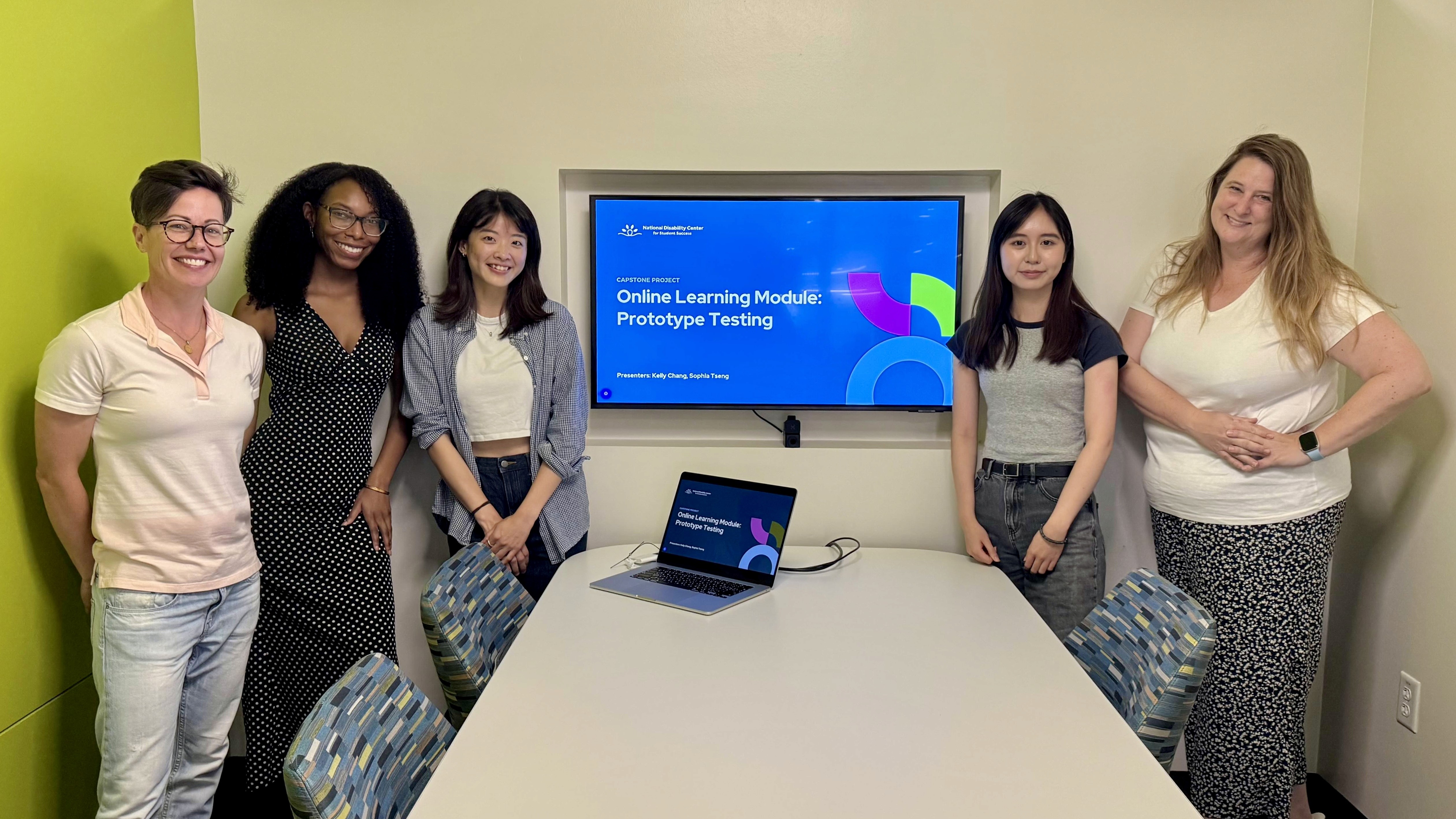
Final project presentation with the National Disability Center team.