Design System for Walkthrough Experiences
A lightweight design system for step-based tasks, built around a Zelda walkthrough.
Role: Product Designer (individual project)
Type: Self-initiated
Timeline: 4–6 weeks
At a Glance
Problem
Game walkthroughs are scattered across videos, articles, and forums, with no consistent structure for tracking progress, organizing content, or guiding action within a single experience.
My Role
Designed the system from scratch: defined the component library, the state model for step progression, and the interaction patterns connecting map-based discovery to step-by-step execution.
Outcome
A lightweight design system covering components, states, and interaction patterns, demonstrated through a fully prototyped mobile walkthrough experience.
Why this project started
I play Zelda. Like many players, I rely on external walkthroughs when I get stuck in shrine challenges, switching between videos, articles, and forums to figure out what to do next.
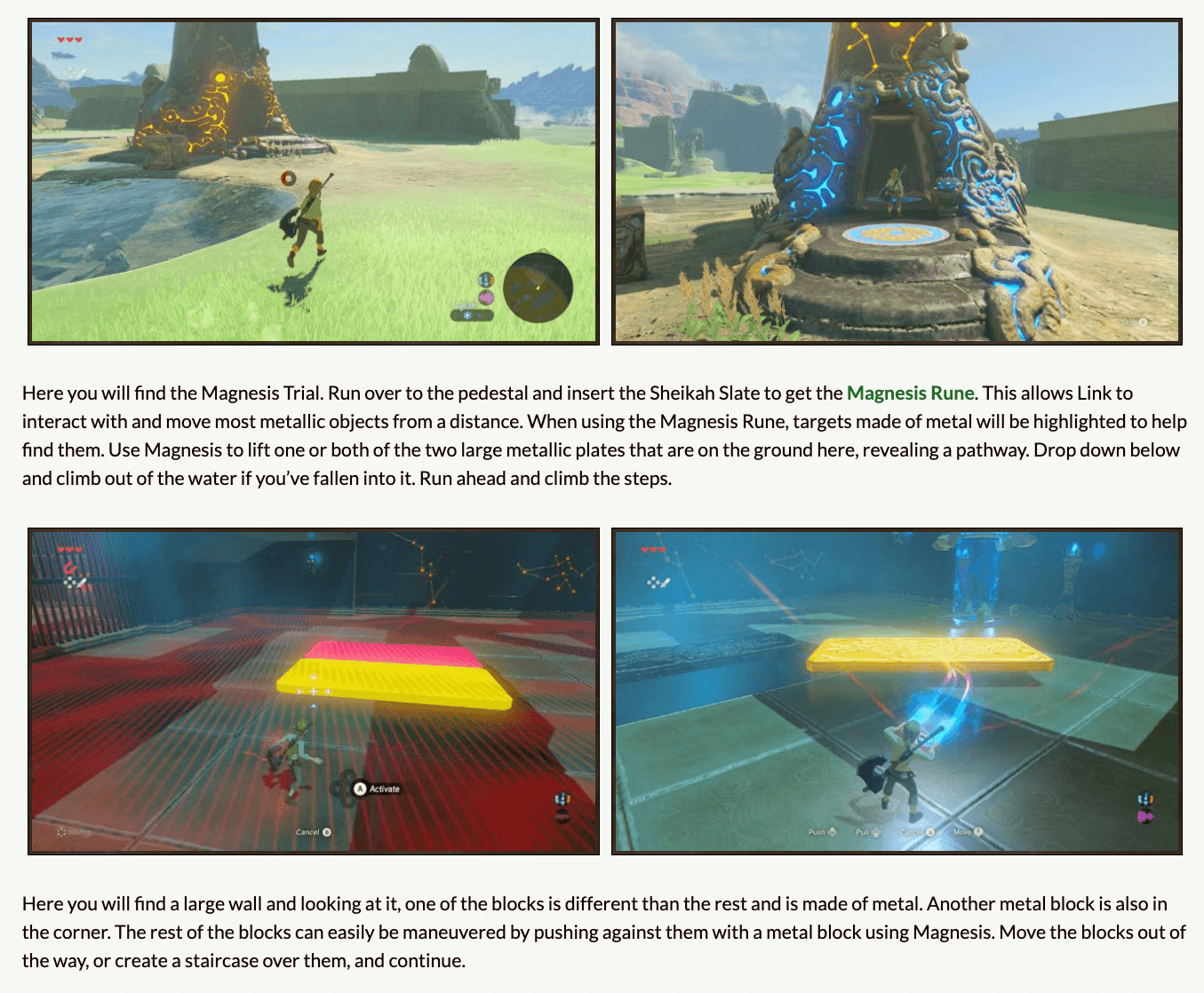
Each source had its own structure. Forums used unthreaded text. Articles used image-heavy paragraphs. Videos used unstructured commentary. The information was usually there, but the experience of using it wasn't. There was no consistent way to track progress, find what mattered, or follow a sequence of steps without losing context.
That gap, the absence of any structural pattern for guiding players through complex tasks, is what this project started from.
Where walkthroughs fall apart
Across the sources I used, four structural gaps kept appearing.
Content was scattered
Players moved between videos, articles, and forums, each with its own format. There was no consistent way to follow a single walkthrough across sources.
Progress was invisible
No source supported step-by-step tracking. Players had to mentally hold their place in a sequence they couldn't see represented.
Information wasn't actionable
Walkthroughs described routes and outcomes, but rarely explained the specific actions needed in the moment. The gap between "what happens" and "what to do" stayed wide.
Context kept getting lost
Players moving between map exploration and step-by-step guidance had no way to keep both views connected. Each switch required re-orienting.
What the system needed to do
Each structural gap pointed at a different kind of pattern the system needed to provide.
Step states as the unit of progress
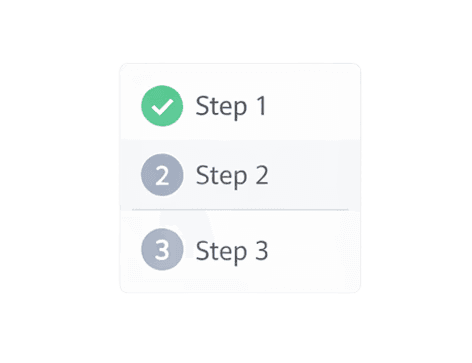
Walkthrough content needed to break into discrete steps with visible state. A player should be able to glance at the system and know what they'd done, what they were doing now, and what came next.
Components for predictable content
Different content types (instructions, tips, warnings, item references) needed consistent visual treatment. A player who learned one card layout should be able to read every card layout.

Patterns for connecting modes
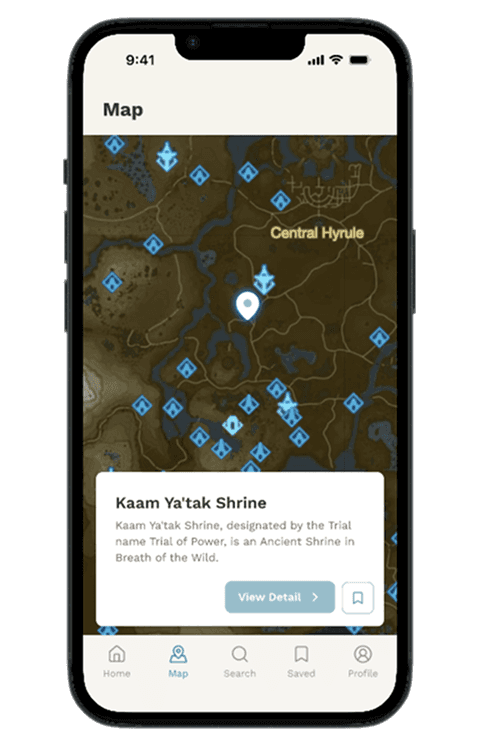
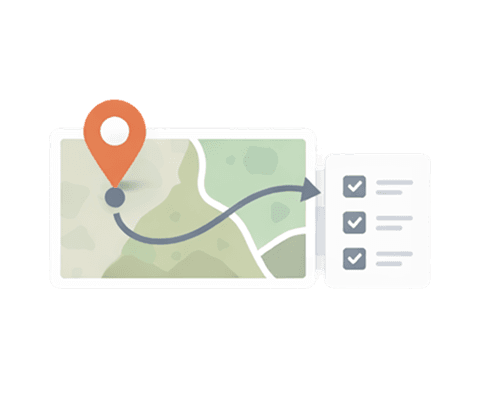
Map exploration and step-by-step guidance needed to feel like one experience rather than two. Tapping a shrine on the map should hand off into the walkthrough without re-orientation.
The rest of the system grew from these three patterns.
Designing the step state model
The system treats each step as a small unit with three possible states: incomplete, active, and completed.
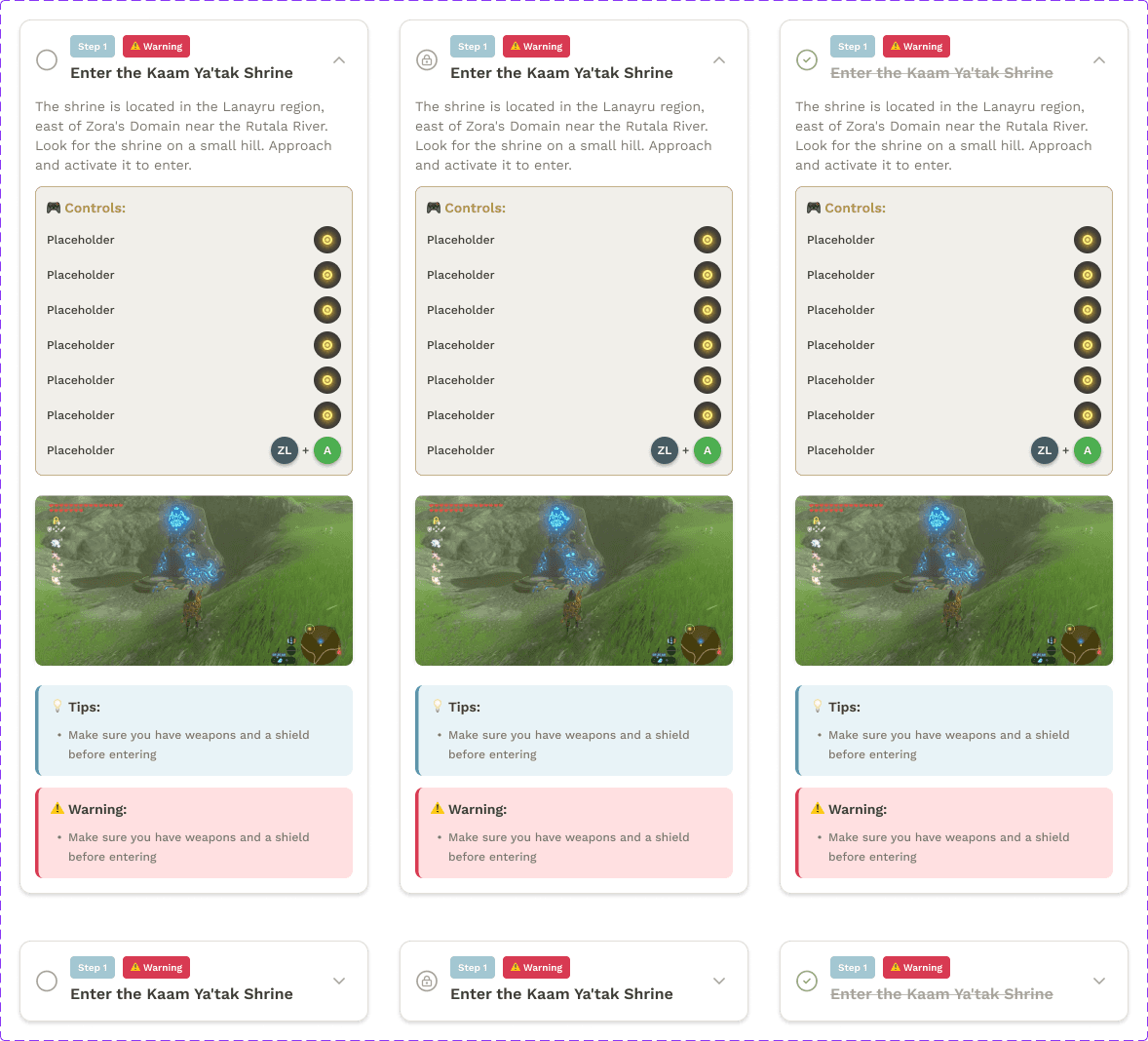
A player working through a shrine moves through the steps one at a time. Only the active step is visible in full detail. Completed steps collapse into a compact summary. Incomplete steps appear as previews so players can see what's coming without losing focus on what they're doing now.
State changes are explicit. Marking a step as complete updates the visual state, advances the active step, and triggers a small feedback banner. Players who get stuck can reset a step, which returns the state to incomplete without losing earlier progress.
This pattern turns walkthroughs from passive content into something players actively move through. The system holds the player's place, so the player doesn't have to.
Components that share a vocabulary
Each piece of walkthrough content needed a place in the system, regardless of what kind of content it was.
I designed three main component types to cover the system's content needs.
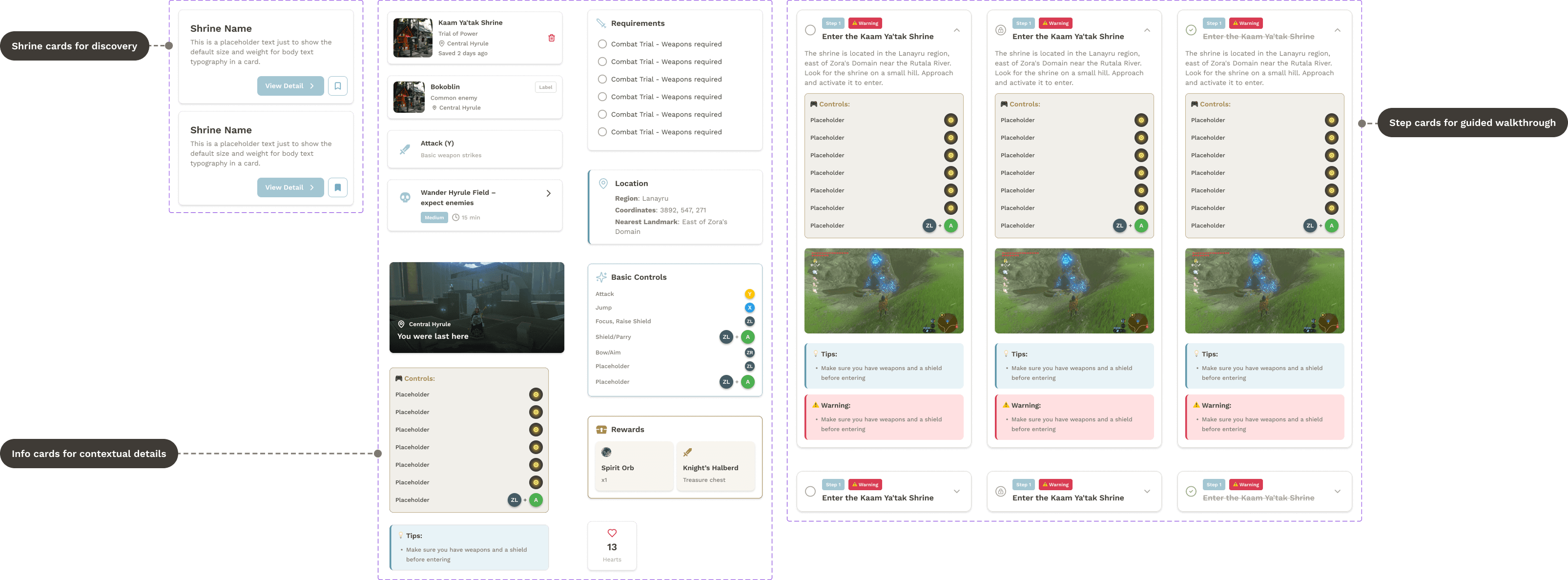
Cards hold the primary content. They adapt to three content purposes: discovery, contextual detail, and step-by-step guidance. The underlying structure (heading, content, supporting visual) stays the same across all three.
Chips handle filtering and navigation. Players filter walkthroughs by difficulty, shrine type, or completion state without leaving the screen.
Buttons carry actions across primary, secondary, and tertiary uses, with consistent state changes for hover, pressed, and disabled.
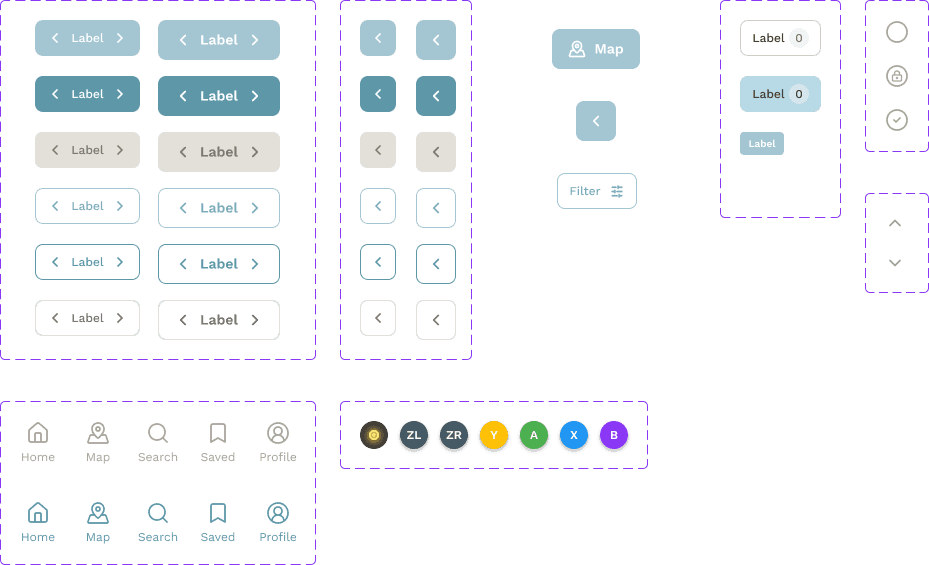
Together, these three component types meant a player who learned one screen could read every screen. Variation existed where it served the content; consistency existed everywhere else.
Underneath the components: tokens and styles
The components reference variables and styles rather than hard-coded values. Color variables for each functional role (active, completed, reset, neutral). Typography styles for content hierarchy (heading, body, caption, label). Spacing rules based on a single unit value.

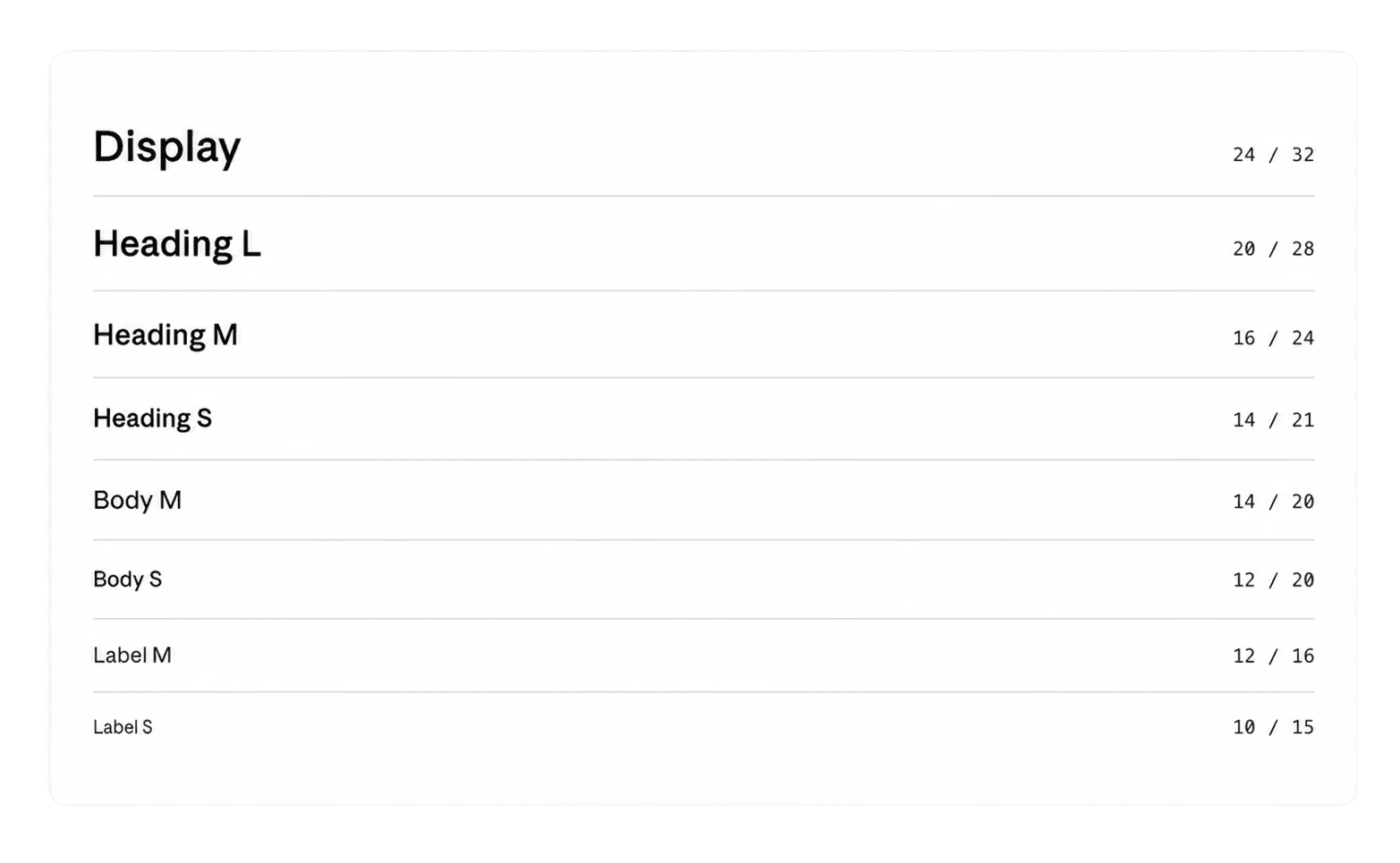
This means visual changes propagate through the system. Adjust a token, and every component using it updates automatically.
From exploration to execution
The hardest part of the system was making map exploration and step-by-step guidance feel like one experience.
Players approach shrines in different ways. Some open the map first, scanning spatially for a shrine they want to try. Others pick a shrine from a list, then check its location on the map. The system needed to support both paths without making either feel like the secondary option.
The pattern that worked: the map and the walkthrough are connected by shared state. Tapping a shrine on the map opens the walkthrough with that shrine selected. Returning to the map preserves the player's place in the walkthrough. Players move between modes without losing what they were doing.
The implementation is straightforward, but the system thinking matters. By treating map and walkthrough as views of the same underlying state instead of separate screens, transitions stop feeling like context switches and start feeling like zoom levels.
What I took from this project
Zelda taught me to think about features as instances of patterns, not as separate problems. Step progression, map navigation, content cards, filter chips. These started as separate things I needed to design. They became instances of a smaller set of patterns: state, transition, and content type. The system didn't appear at the start of the project. It emerged when I stopped designing features one by one and started looking for what they had in common.